 CuraCourse
At a glance
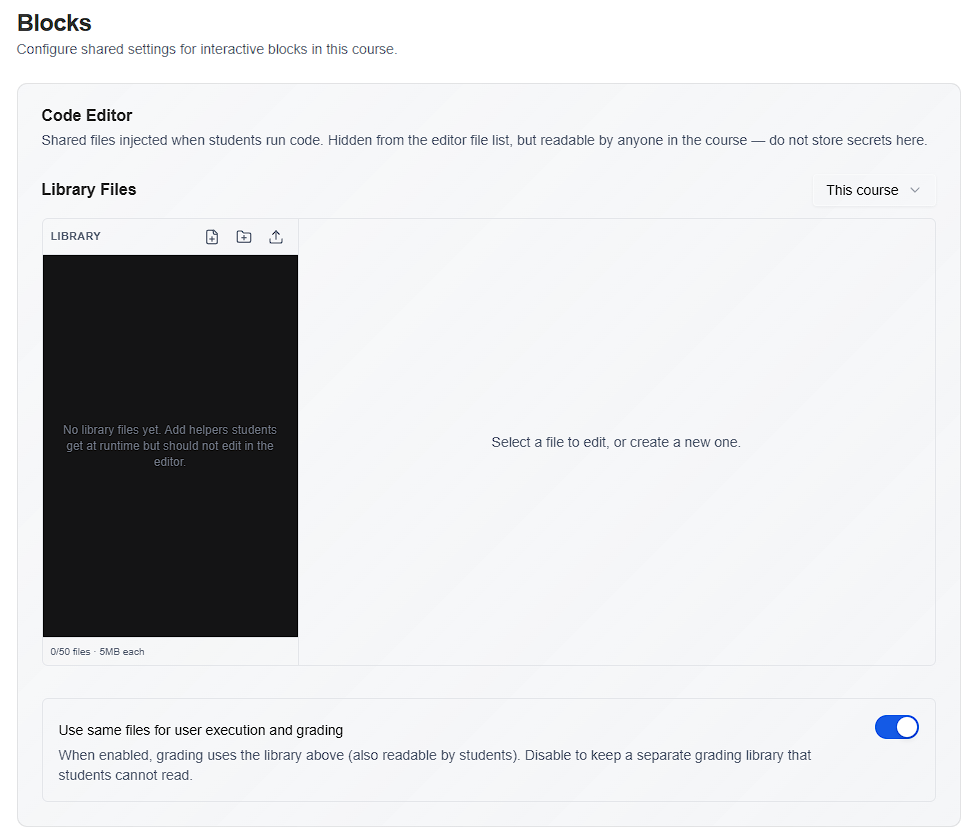
Under Blocks, the Code Editor section manages library files injected when learners run code. Files can be shared for execution only, or split between student-visible execution files and instructor-only grading files.
Prerequisites
- Course Settings → Blocks
- Course includes code-editor activities.
Steps
-
Open Blocks → Code Editor.
-
Under Library Files, add or upload helpers learners receive at runtime (hidden from the editor file list but readable in the course—do not store secrets).
-
Toggle Use same files for user execution and grading:
- On — One library; learners can read the same files graders use.
- Off — Maintain a separate Grading Library Files tree that stays server-side for autograding.
-
Rename or delete paths from the file tree actions as needed.
Common gotchas
- Execution library files are visible to anyone in the course; never upload API keys or private data there.
- After changes, learners may need to refresh or re-run cells to pick up updated library files.