 CuraCourse
At a glance
A course lives under an organization you own or administer. You’ll pick the org, name the course, and optionally add details and learner pricing before building the table of contents.

Prerequisites
- You are owner or admin of at least one organization (see Create course on the dashboard).
Steps
- From the dashboard, click Create course.
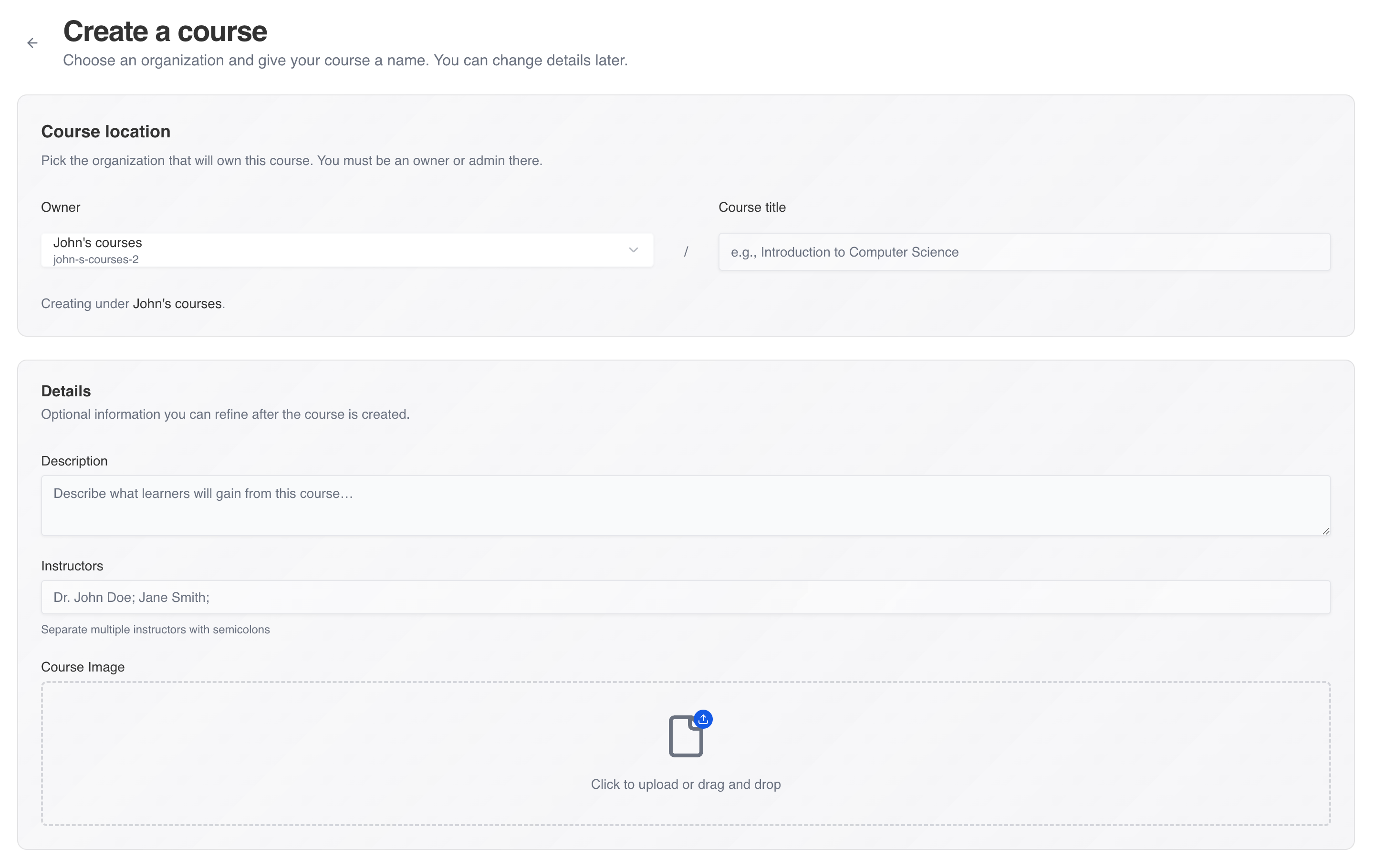
- Under Course location, select the organization that will own the course.
- Enter the Title (required).
- Optionally fill Description, Instructors (semicolon-separated), and Course Image (upload or drag-and-drop).
- If Learner pricing appears (learner-paid organizations), choose free/starter or a paid tier and add-ons. You can change pricing before learners enroll.
- Click Create course. You’ll open the course dashboard for that course.
Common gotchas
- If no organization appears, you need an owner/admin role on an org—use Start teaching or ask an administrator.
- Image upload runs after the course is created; wait for the success toast before leaving the page.