 CuraCourse
At a glance
Course Join Codes let people enroll without a manual roster add. Each code has a role (learner, instructor, or assistant), usage limits, optional expiry, and sometimes a required enrollment period.
Prerequisites
- Course Settings → Course Join Codes.
Steps
- Open Course Settings → Course Join Codes.
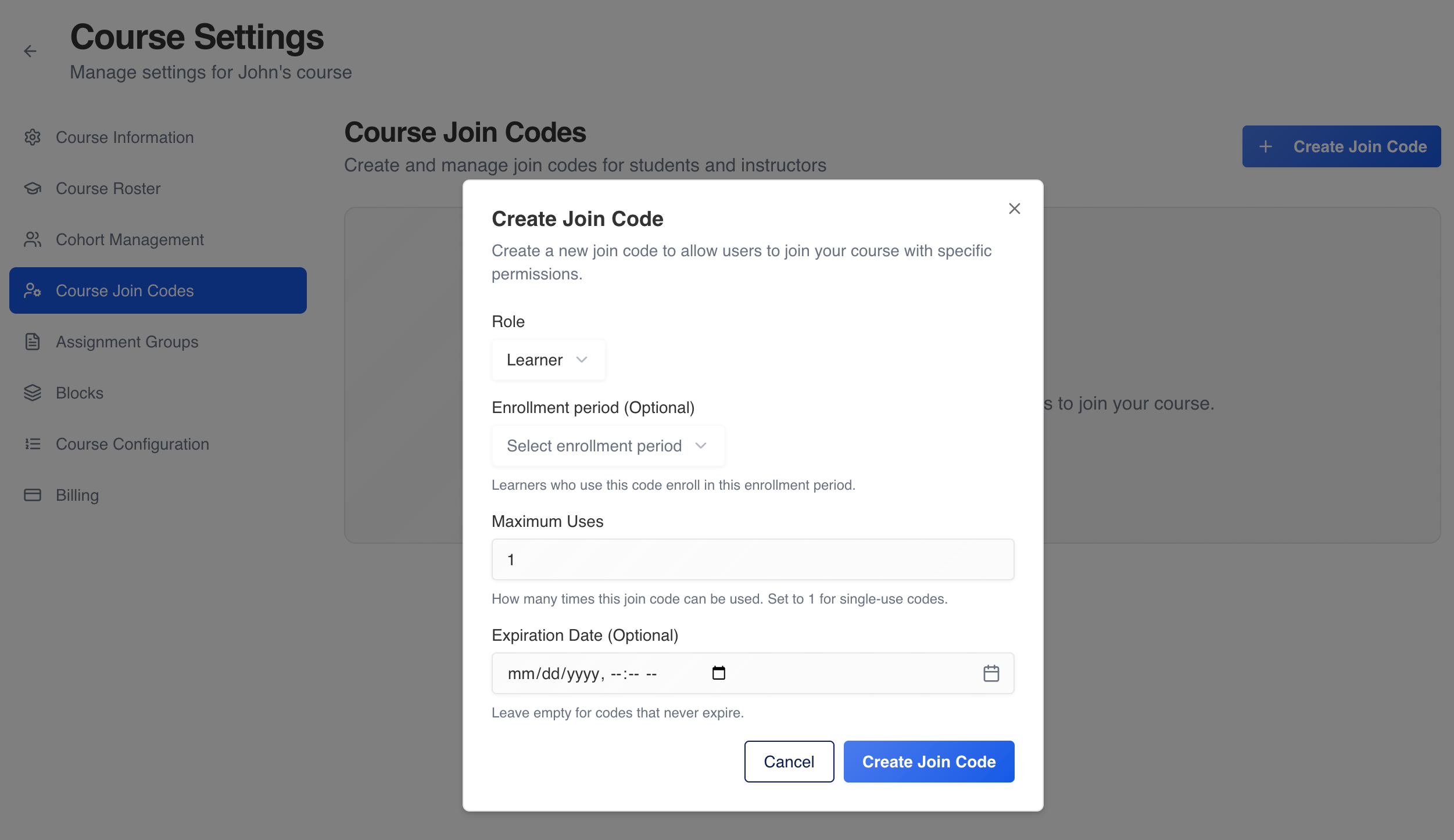
- Click Create Join Code and configure role, max uses, expiration, and (for learners on paid/institution courses) enrollment period.
- Click Create, then Copy on the code card to share with students or staff.
- Use Edit to change limits or period; Delete revokes the code (existing enrollments stay).
Status badges include Available, In Use, Expired, and Max Uses Reached.
Common gotchas
- Learner codes on paid or institution-billed courses without an enrollment period may show a warning that learners cannot use the code until a period is set.
- Deleting a code does not remove students already enrolled with it.