 CuraCourse
At a glance
Content blocks teach, illustrate, or let students explore. They never add gradebook points by themselves. Insert them from the / menu under Style, Insert, and Upload.
Interactive demos such as Interactive Graph and Python Tutor Embed are still content: students can play with them, but nothing is scored.
For questions and exercises that are worth points, see Interactive Activity Blocks.
Prerequisites
- Lesson Edit mode. See What are CuraCourse blocks?
How to insert
- Type
/. - Choose from Style (text structure), Insert (media, math, callouts, interactive demos), or Upload (images).
- Configure the block in place.
Style
These shape the lesson document. What you type is what students read.
| Block | What it is |
|---|---|
| Text | Regular paragraph |
| Heading 1 | Top-level heading |
| Heading 2 | Key section heading |
| Heading 3 | Subsection heading |
| Bullet List | Unordered list |
| Numbered List | Ordered list |
| To-do list | Checklist |
| Blockquote | Quoted passage |
| Code Block | Syntax-highlighted code for reading. This is not the graded Code Editor. |
Insert
Media, structure helpers, and math.
| Block | What it is |
|---|---|
| Emoji | Insert an emoji from the picker |
| Table | Grid of cells (default 3×3) |
| Separator | Horizontal divider |
| Table of contents | Auto-generated links to headings on the page |
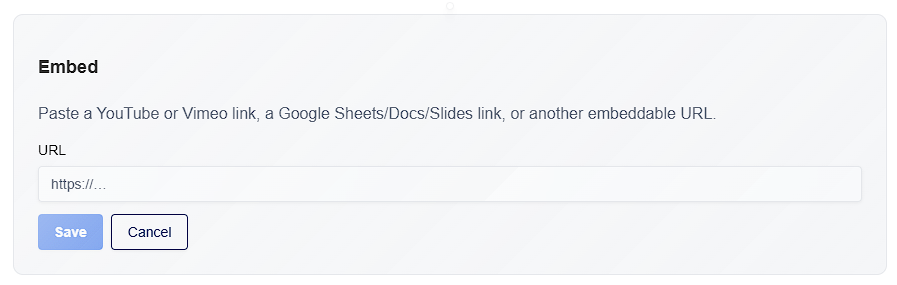
| Video embed | Playable YouTube or Vimeo iframe. Paste a URL. |
| Embed | Google Sheets, Docs, Slides, or another iframe. Paste a URL; you can resize height. |
| Inline equation | LaTeX math inside a sentence |
| Block equation | Centered display math on its own line |
| Warning Callout | Alert-style callout for critical information |
| Hint Callout | Tip or suggestion |
| Info Callout | Supplementary note |
Video embed and Embed share the same embed block. Use Video embed for YouTube/Vimeo; use Embed for docs, sheets, slides, and other iframes.
Upload
| Block | What it is |
|---|---|
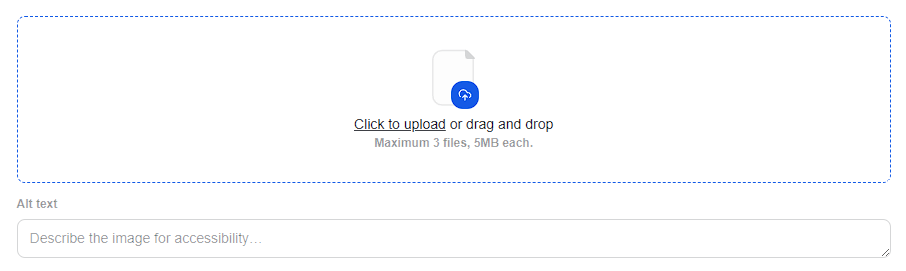
| Image | Resizable image with an optional caption |
Interactive content (still not scored)
These sit under Insert. Students can interact with them. They do not award points and they do not appear in the gradebook.
Interactive Graph
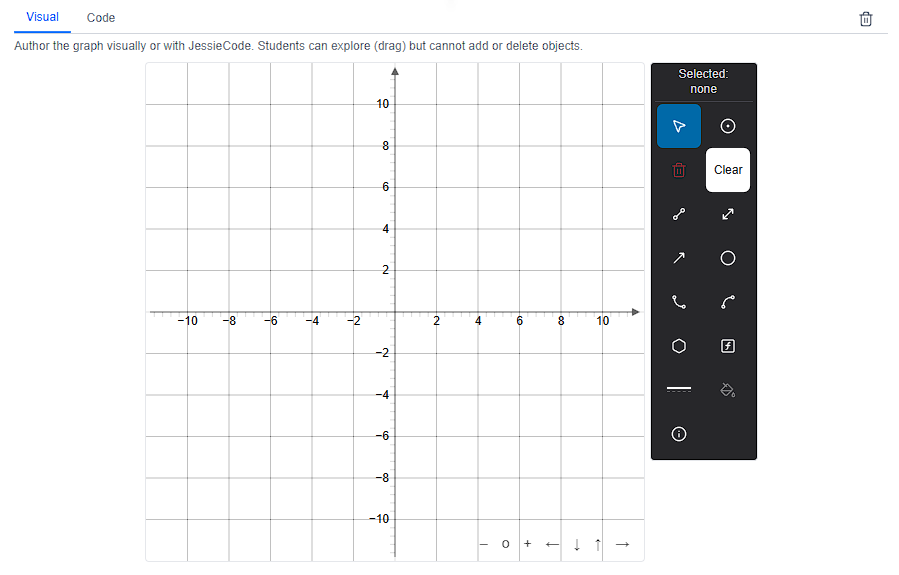
A JSXGraph demo students can explore (pan, drag existing objects). Students cannot add or delete objects.
- Author the graph visually or with JessieCode.
- Optional caption.
- Do not confuse this with Graphing Question, which is a scored construction activity.
Python Tutor Embed
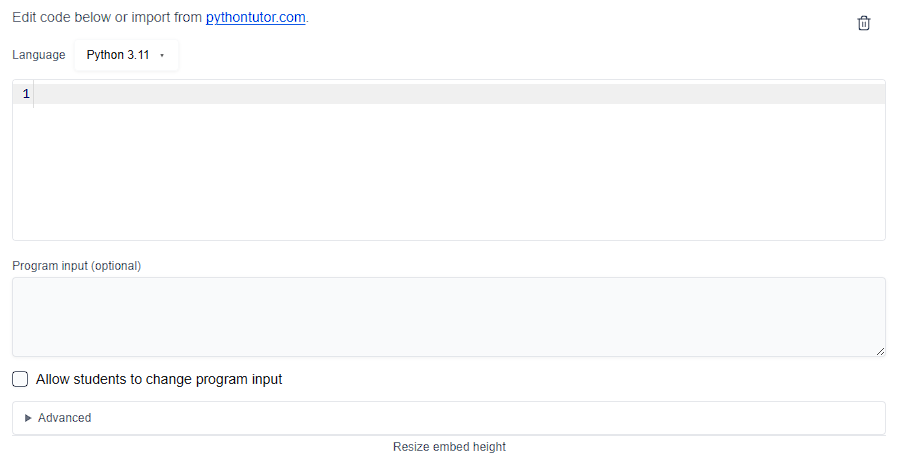
A step-through code visualizer (Python Tutor) students can walk through line by line.
- Language, starter code, optional stdin lines, and height.
- Allow student input lets learners type into the visualizer.
- Do not confuse this with Code Editor (runnable, graded sandbox) or Code Tracing Activity (predict output and variables for points).
Common gotchas
- Code Block (Style) is read-only highlighted code. Code Editor is a scored, runnable sandbox.
- Video embed vs Embed: two slash entries, same kind of iframe block — pick the one that matches the source.
- Interactive Graph is explore-only. Graphing Question is the scored graph activity.
- Python Tutor Embed is unscored. Use Code Tracing Activity or Code Editor when you need points.