 CuraCourse
Questions right where students read.
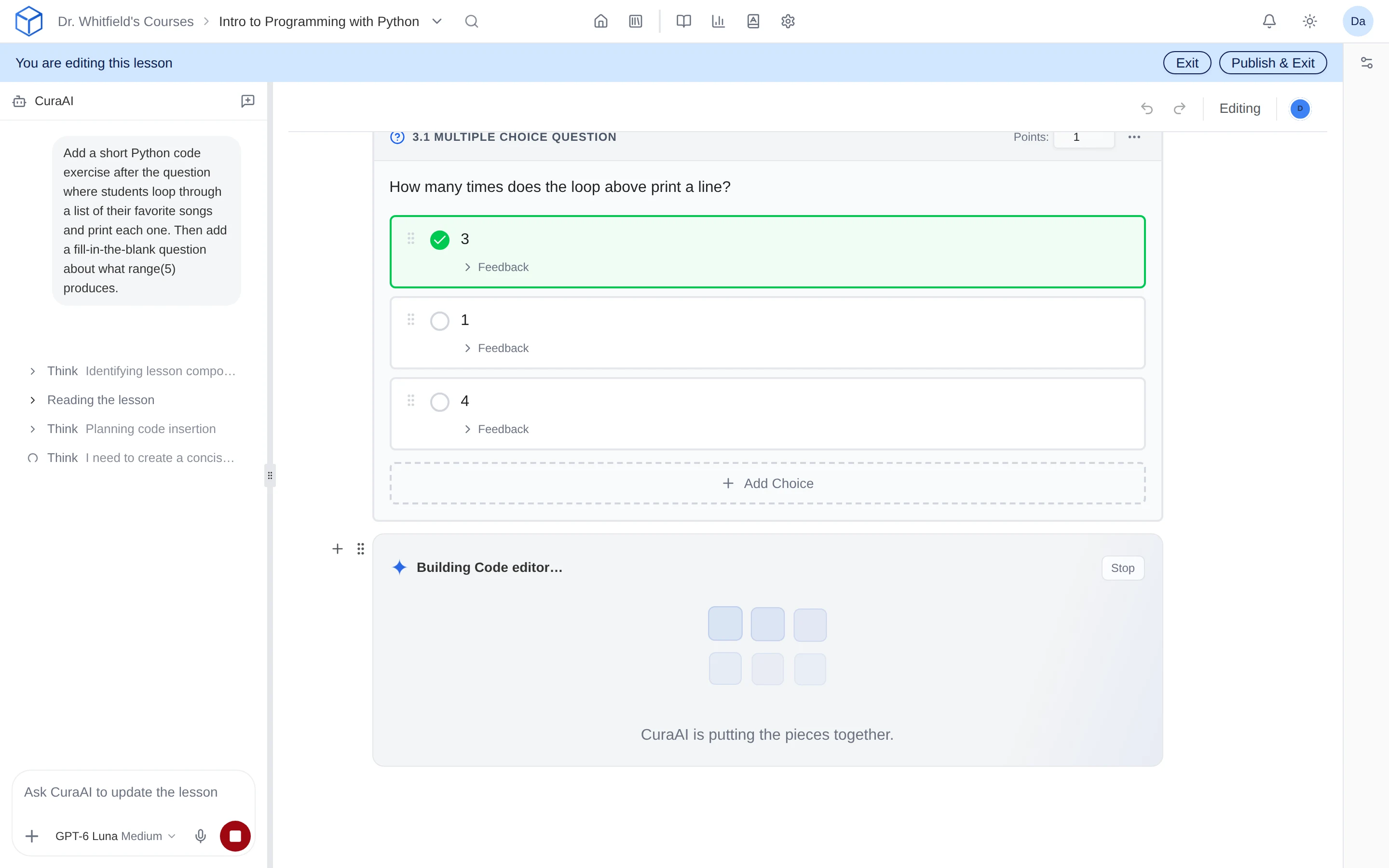
Write lessons with CuraAI’s help, and put a quick question right after each new idea.
What does it do?
Write your explanation the way you’d teach it, then add a question right below it. Students answer as they read and get feedback right away. You see who understood before the next class.
Who is it for?
Classroom teachers
Check understanding right after you explain something.
STEM instructors
Combine equations, diagrams, and questions in one lesson.
Curriculum authors
Write it once and share it as a book other courses can use.
How do I use it?
- Add a lesson to your course.
- Write your explanation, then type / to add a question.
- Set the answer and points, preview it as a student, and publish.
Try it
Features
An AI co-author that knows your course
Ask CuraAI to draft a section, rewrite an explanation, or add practice. It works from your course, and tracked changes show what it edited before you publish.
Question types
Use multiple choice, multiple select, fill-in-the-blank, open response, categorization, and ordering questions alongside your explanations.
Text and math blanks
Let students type text, numbers, or math, or pick from a dropdown. For math, you decide what counts: the exact form, any equivalent expression, the same value, or a simplified answer.
Ordering and Parsons problems
Students put steps in order: lines of code, events in a timeline, or a worked solution. Add distractor lines, and require indentation for Parsons problems.
Why faculty use it
- Lessons that took a weekend take an afternoon, and they still sound like you.
- Text, code, math, and activities live in the same lesson.
- Students get everything in one place instead of juggling the LMS, a publisher site, and slide decks.
Questions
Can I mix different question types?
Yes. Any mix of question types can sit alongside your text, videos, and equations.
Can another instructor reuse my lessons?
Yes. Put your lessons in a book, and other instructors can add it to their courses. You decide whether they can edit it.
Works with other tools
Use these together in the same course.