 CuraCourse
Real developer tools, right in the browser.
Students use VS Code and git on a cloud machine that runs in the browser, even on a Chromebook. Nobody spends week one fixing installs.
What it looks like
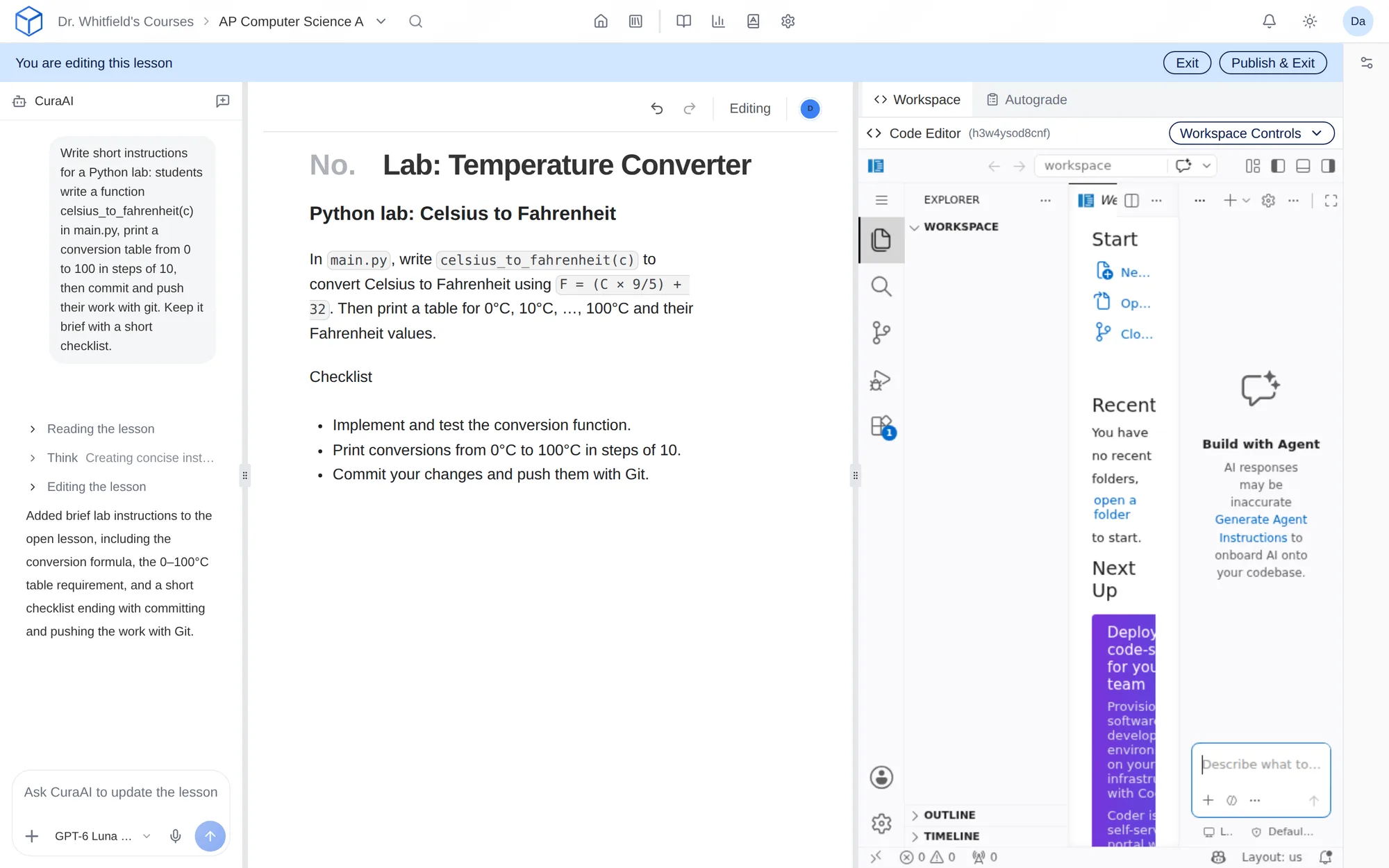
How do I use it?
- Add a cloud-based lab to your course with the starter files and tools you need.
- Each student gets their own cloud machine with VS Code in the browser.
- Students work and commit with git, the same workflow they’ll use on the job.
- Their work is autograded, and you see results per student.
Features
VS Code in the browser
Each student gets their own cloud machine with the tools you specify, running in a browser tab.
The professional workflow
Students commit and push with git, the same way they will on the job.
Autograded work
Student work is autograded, and you see results student by student.
Real projects
Students can build multi-file projects with databases and servers.
Why faculty use it
- Everyone has the same environment, so “it works on my machine” goes away.
- Nobody is held back by their laptop.
- Students learn git and professional tools from day one.
In a STEM course
A Software Engineering team project with a Node backend and a Postgres database, running in the browser on a student’s Chromebook.
Questions
Which plans include cloud-based labs?
Cloud-based labs are included with Pro, or available as a +$15 add-on with Core.
Does running code use credits?
Yes. Running code in Code Editor blocks, code autograding, and cloud-based labs all use your course’s credits.
Works with other tools
Use these together in the same course.