 CuraCourse
A tutor for every student, on your terms.
An AI tutor grounded in your course materials. You decide when it appears and how much it helps.
What does it do?
Every student can get help at 11pm, not just the ones who can pay for a tutor. It guides with questions instead of giving answers, and it won’t reveal answer keys, hidden tests, or full solutions to graded work.
What it looks like
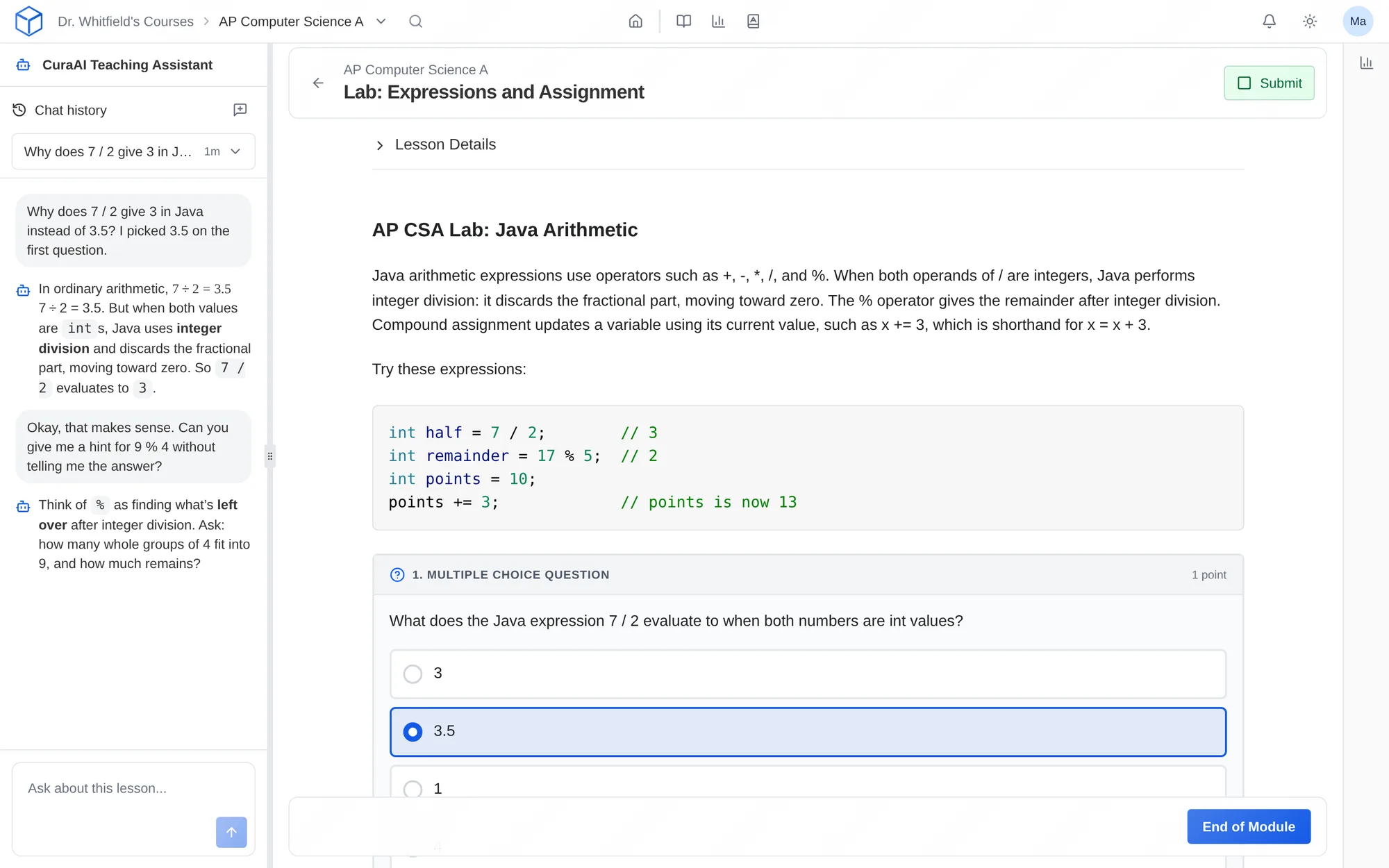
How do I use it?
- Open a lesson and go to Lesson Settings.
- Turn on CuraAI for Learners and choose a level from 1 to 3.
- Students ask questions in a side panel without leaving the lesson.
- Read the conversations to see what students asked.
Features
Grounded in your lesson
The tutor reads the lesson the student is on, so its answers match your material, notation, and sequence.
Three levels of help
Level 1 answers questions about the lesson with guiding questions. Level 2 can also see the student’s work and give feedback. Level 3 can suggest code edits the student accepts or rejects.
Off until you turn it on
The tutor is off by default. Turn it on lesson by lesson, and it’s never available during exams.
Conversations you can read
Tutor conversations are part of the coursework, so you and your teaching staff can read them.
Why faculty use it
- Students get help between office hours, even in a 200-student course.
- It guides with questions, so students still do the thinking.
- Leave it off for any lesson where you want students working alone.
In a STEM course
A student in Data Structures asks why their linked list loses nodes. The tutor asks what happens to the old head pointer, and the student finds the bug.
Questions
Does the tutor use the open internet?
No. It answers from the lesson the student is on.
Is student data used to train AI models?
No. AI requests only go to providers that can’t keep them or train on them.
Which student plans include it?
The AI tutor is available on the Core and Pro student plans.
Works with other tools
Use these together in the same course.