 CuraCourse
Insight from tutor conversations
See what your students are confused about.
Read your students’ conversations with the AI tutor to see which ideas the class keeps getting stuck on.
What it looks like
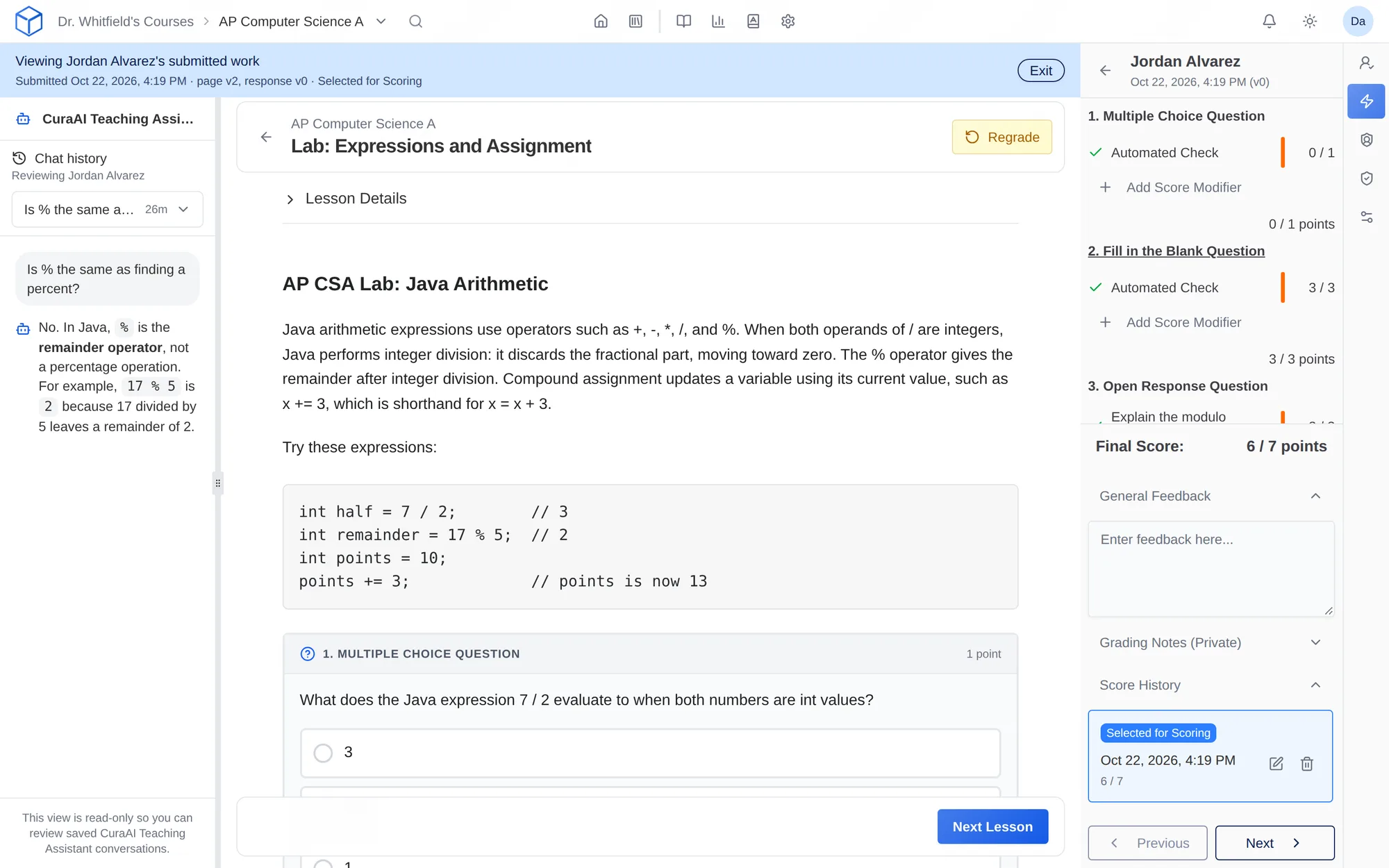
How do I use it?
- Turn on the AI tutor for a lesson.
- Students ask it questions while they work.
- Read the conversations and adjust your next class.
Features
Every conversation
You and your teaching staff can read what each student asked and what the tutor said.
Adjust tomorrow’s lecture
Change tomorrow’s class based on what students asked tonight.
Class-wide summaries (coming soon)
AI will pull out the patterns across the class for you.
Request this featureWhy faculty use it
- Find out what students are confused about before the exam.
- Hear from the students who never come to office hours.
Questions
Do students know instructors can read their conversations?
Yes. Tutor conversations are part of the coursework, and we say so on our AI transparency page.
Works with other tools
Use these together in the same course.