 CuraCourse
Don’t start from scratch.
Adopt a course a colleague already built, from the public Bookstore or your organization’s private library, and make it your own.
What it looks like
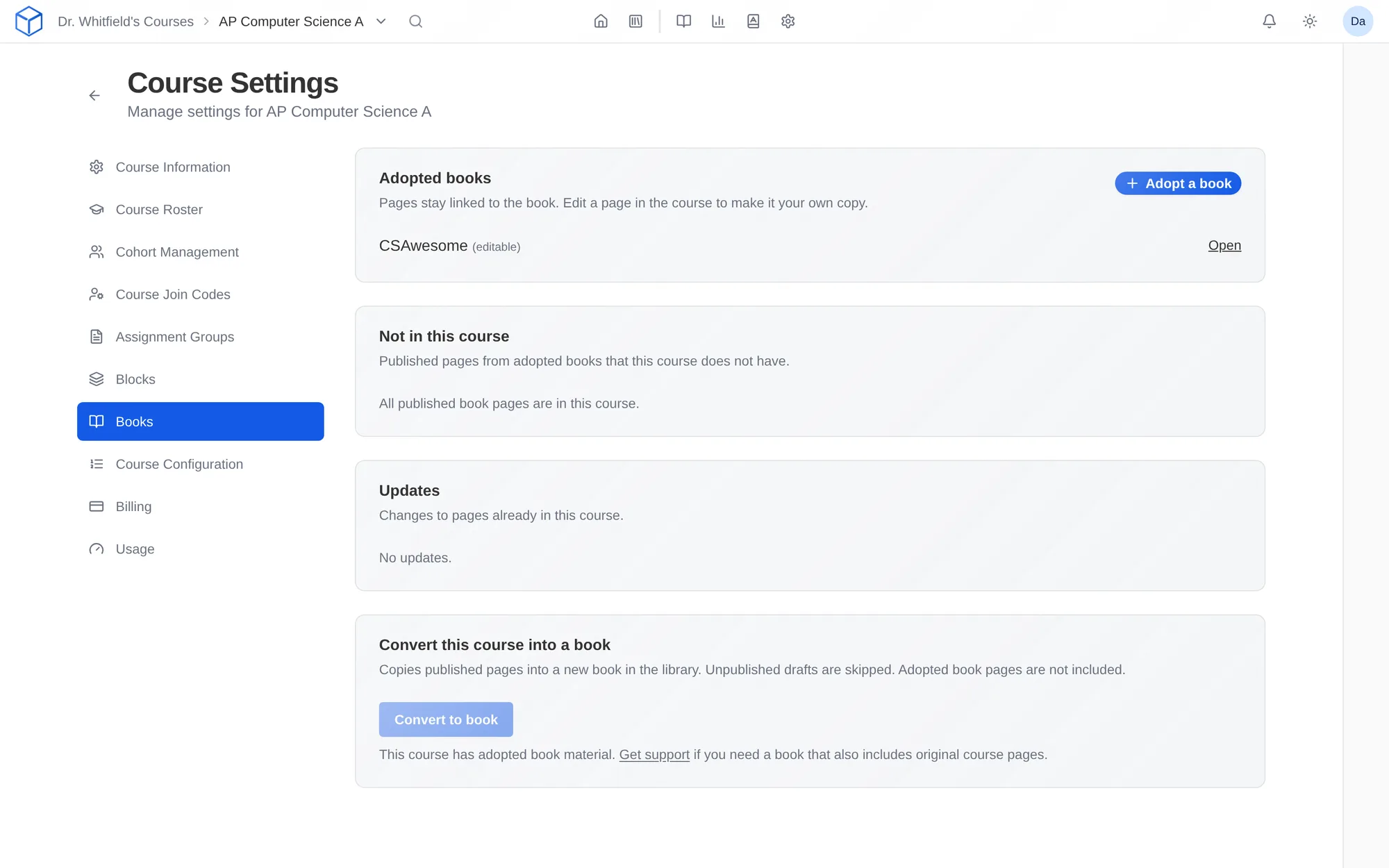
How do I use it?
- Browse the public Bookstore or your organization’s private library.
- Adopt a book into your course.
- Reorder, edit, and add your own materials.
- Keep receiving the author’s improvements to the lessons you kept linked.
Features
The public Bookstore
Browse books other instructors have published, including CSAwesome, the full AP CSA curriculum, which is free to adopt.
Your organization’s private library
Departments and schools can share books with only their own instructors. Nothing appears in the public Bookstore unless the organization publishes it there.
Make it yours
Reorder lessons, edit them, and add your own materials. Make your own copy of any lesson you want to change.
Keep receiving updates
When the author improves the book, the lessons you kept linked update too.
Why faculty use it
- A finished course in an afternoon, with full control of what students see.
- New instructors and adjuncts start from a course that already works.
In a STEM course
A high school teacher adopts CSAwesome for AP CSA, adds a custom activity to the arrays unit, and keeps the rest synced with the book.
Questions
Is CSAwesome free?
Yes. CSAwesome is free to adopt, and it stays free.
Can our department share books privately?
Yes. Books in your organization’s library are visible only to its instructors.
Works with other tools
Use these together in the same course.