 CuraCourse
Base books and instructor copies
One shared course, every instructor’s own version.
A department maintains one base book. Each instructor adopts it, makes their own changes, and keeps receiving updates as the book improves.
What it looks like
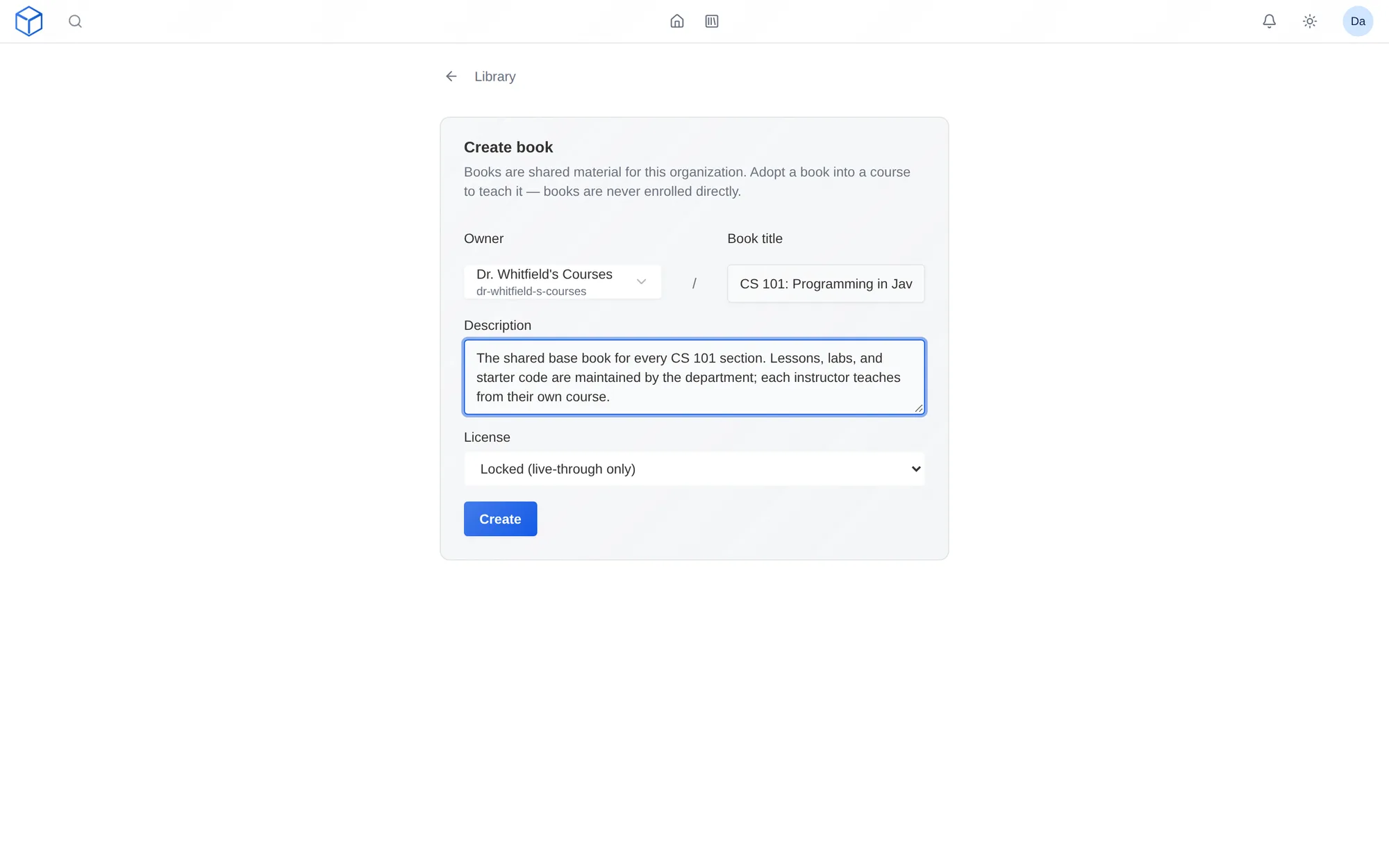
How do I use it?
- A course coordinator builds the base book in your organization’s library.
- Instructors adopt it into their own sections.
- Each instructor keeps lessons linked or makes their own copy.
- Fixes in the base book reach every linked section.
Features
One book, many sections
Lessons and starter code live in your organization’s library. Each section has its own students, schedule, and grades.
Editable or locked
Decide whether instructors can change the book’s lessons or must teach them as written.
Updates reach every section
Fix an example once in the base book, and every section using it gets the fix.
Why faculty use it
- Multi-section courses stay consistent without forcing everyone to teach the same way.
- Fixes and improvements reach every section.
- New adjuncts start with a finished course.
In a STEM course
Twelve sections of General Chemistry share one base book. The coordinator fixes a stoichiometry example once, and every section gets the update.
Questions
Do sections share students or grades?
No. Each course has its own students, schedule, student plan, and grades.
Works with other tools
Use these together in the same course.